
Location Based Task Coordination Software Pricing Guide: What Should You Pay?
Most teams overpay for GPS tracking they barely use. Location and attendance features sit behind premium tiers on many platforms, so the real question is which capabilities justify the extra cost for your field crew.
This guide breaks down common pricing models, explains why location tracking and face-verified attendance command higher rates, and details Tasks.Bot's full access plan, monthly versus annual billing, and free trial terms. By the end, you will know what a fair price looks like for your team size and workflows.
What Is Tasks.Bot? Location-Based Task Coordination via WhatsApp
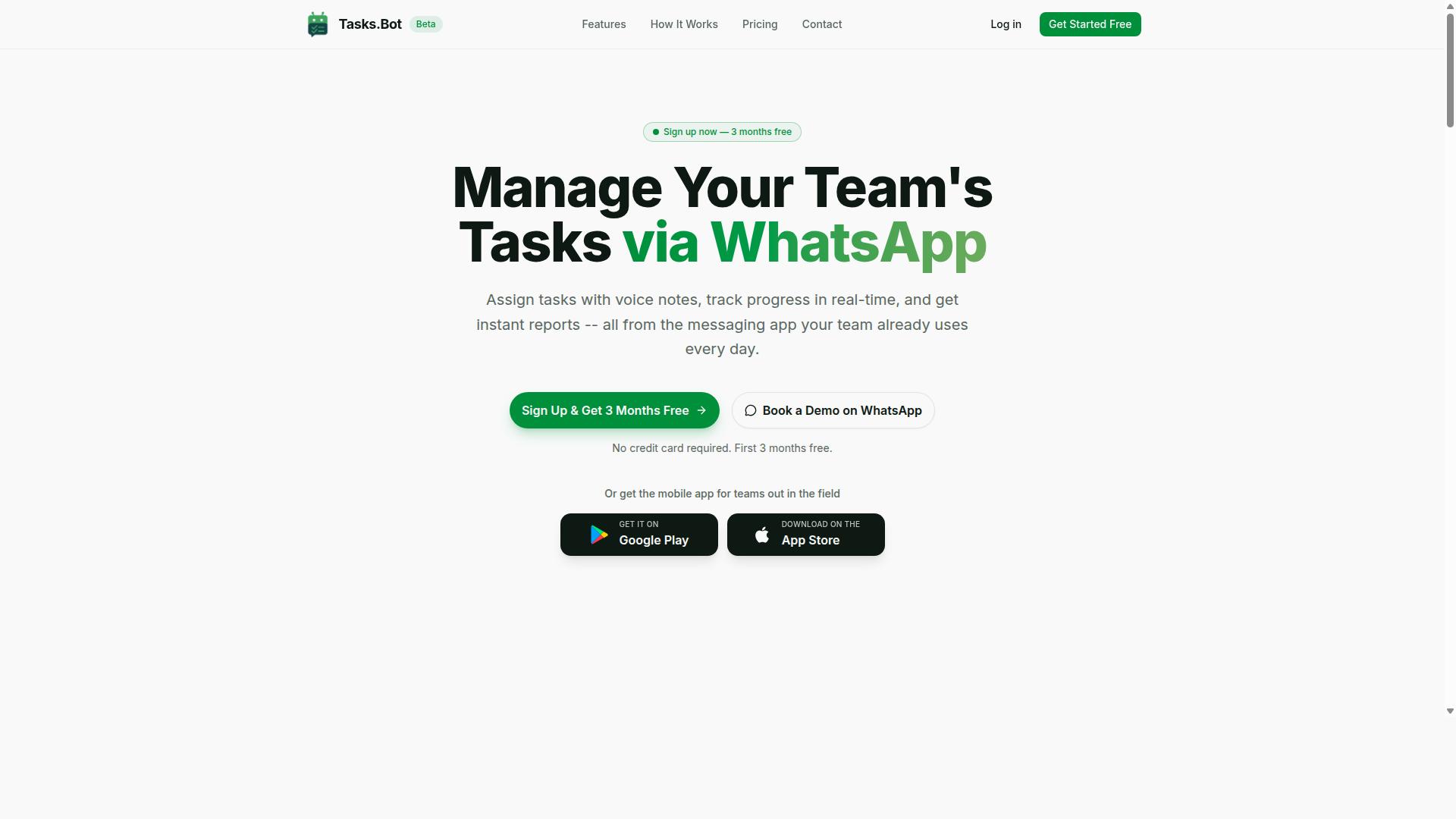
Tasks.Bot is a task management platform that operates entirely within WhatsApp, enabling teams to assign tasks, track progress, and receive reports without leaving the messaging app. For businesses weighing the cost of location-based task coordination software, that design choice matters more than it first appears.
Most field coordination tools ask a workforce to adopt a new system. Tasks.Bot instead meets teams where they already are. No new accounts, no separate logins, no app installations are required for staff who already use WhatsApp, which removes one of the biggest hidden costs in field software: adoption and training time.
The platform pairs location-based task assignment with real-time tracking, so dispatchers can direct work to the right person in the right place. Progress updates and reports flow back through the same conversation thread, keeping task assignment, location verification, and reporting in one place rather than scattered across multiple tools.
For field staff who need more than a chat window, Tasks.Bot also offers a mobile app for field teams. This gives on-the-ground workers a dedicated interface while keeping office coordinators in the messaging environment they already know. The service is currently in beta and offers a free trial period, which lets teams evaluate fit before committing budget.
Understanding this foundation is useful before comparing subscription models. A tool that runs inside WhatsApp changes the calculation on per-user pricing, onboarding costs, and training expenses, because the learning curve is far shorter than with traditional field service management platforms. That context shapes every pricing question that follows in this guide.
What Should You Pay for Location-Based Task Coordination Software?
Understanding the cost of location-based task coordination software requires examining common pricing models and the factors that drive price differences. Two platforms with similar sounding features can land in very different price ranges once you look at how they bill, what they gate, and what they charge at signup.
Most vendors fall into one of three structures: per-member, per-feature, or flat-rate. Each one shifts risk differently between the buyer and the seller. A per-member plan keeps entry costs low for small crews but grows quickly as headcount rises. A flat-rate plan costs more upfront but can be cheaper once your team scales.
The features that matter most for field work, such as GPS tracking, geofencing, and attendance verification, are usually the ones that push a plan into a higher tier. These tools process continuous location data rather than simple task records, so vendors price them accordingly. That is why a basic task app and a full location coordination platform rarely cost the same.
Free options exist, but they tend to cover only the basics. Freemium tiers and free trials are common entry points, yet advanced location features often sit behind a paywall. Treat any free plan as a way to test the interface, not as a long-term solution for a mobile workforce.
Beyond the subscription itself, watch for implementation fees, onboarding costs, training expenses, integration charges, and API access fees. These one-time and add-on costs can rival several months of subscription payments, especially for larger rollouts. A pricing guide is only useful if it accounts for the full picture, not just the monthly line item.
When evaluating whether a solution like Tasks.Bot offers good value, compare the total cost against the features you actually need. A plan that includes geofencing, check-in/check-out, and time tracking may cost more per seat than a stripped-down tool, but it can replace several separate subscriptions. Value comes from fit, not from the lowest sticker price.
Typical Pricing Models: Per-Member, Per-Feature, and Flat-Rate Plans
Most location-based task coordination platforms use one of three pricing models: per-member, per-feature, or flat-rate. Each model rewards a different kind of buyer, and choosing the wrong one can mean paying for capacity you never use or hitting a wall as your team grows.
Per-member pricing, also called seat-based billing or per-user pricing, charges a recurring fee for each person who needs access. It suits teams with stable headcount and clear user roles. Volume discounts are common at higher seat counts, but costs scale in a straight line as you add staff.
Per-feature or tiered pricing bundles capabilities into levels. A starter tier might cover task assignment and basic time tracking, while a higher tier unlocks geofencing, real-time location, proximity alerts, and route optimization. This is known as feature gating, and it lets buyers pay only for what they use, provided they can predict their needs accurately.
Flat-rate pricing charges one price regardless of how many users log in. For a large mobile workforce, this can be the most predictable option because adding dispatchers or field technicians does not change the bill. The tradeoff is a higher entry cost that may not pay off for small teams.
Usage-based pricing also appears in this category, tying fees to metrics like tracked tasks, location pings, or data storage. It works well for seasonal operations with sharp peaks and quiet periods, but it makes budgeting harder.
To choose, ask three questions:
- How many people need access now, and how many in a year?
- Which location features are essential versus nice to have?
- Can the plan absorb growth without a painful jump in cost?
Small, steady teams often do best with per-member plans. Teams that need geofencing and dispatching from day one should compare tiered options carefully. Larger or fast-growing operations should run the numbers on flat-rate pricing before dismissing it as expensive.
Why Location and Attendance Features Usually Cost More
Location and attendance features typically increase software costs because they require real-time data processing, GPS integration, and secure verification mechanisms. A plain task list stores text and timestamps. A location platform continuously ingests coordinates, checks boundaries, and reconciles that data against shift records.
Geofencing and GPS tracking demand constant location updates and server resources. Every ping has to be received, validated, and stored so managers see accurate positions on a map. Multiply that by a full field crew and the infrastructure load becomes a real cost that vendors pass along.
Attendance verification, whether through check-in/check-out, photo capture, or face recognition, adds another layer of complexity. These methods need secure identity handling, tamper resistance, and audit trails. The security requirements alone can justify a premium, since weak verification undermines payroll accuracy and compliance.
There is also a business reason for the higher price. Accurate location verification supports time tracking, payroll accuracy, and labor compliance, which reduces disputes and manual reconciliation. Vendors price these modules as high-value tools because they replace administrative work, not just record it.
How vendors charge for these capabilities varies. Some sell location and attendance as add-on modules on top of a base subscription. Others fold them into upper-tier plans. A few include them across all paid tiers to simplify purchasing.
When comparing quotes, check whether geofencing, GPS tracking, and location verification are included or billed separately. A lower base price with three add-ons can end up costing more than a single higher tier. Also confirm how data storage costs apply as location history accumulates over months and years.
For teams weighing a solution like Tasks.Bot, the sensible test is whether the location and attendance features remove enough manual work to justify their share of the bill. If dispatch, verification, and time tracking currently live in separate tools or spreadsheets, consolidating them into one platform is where the value shows up. Pricing should be judged against that consolidation, not against the cheapest task app on the market.
Tasks.Bot Pricing: Full Access Plan Explained
Tasks.Bot offers a single 'Full Access' plan that includes all features, with transparent pricing in Indian Rupees and US Dollars. There are no starter tiers, no premium add-ons, and no feature gates to decode before a team can budget with confidence.
That structure matters in a market where location-based task coordination software often uses tiered pricing to separate basic task assignment from advanced capabilities. Buyers frequently compare plans line by line, wondering whether geofencing, real-time location, or route optimization sit in the standard tier or behind an upgrade. With Tasks.Bot, that entire comparison exercise disappears.
The platform serves teams that coordinate work across locations, including field service management and mobile workforce operations. Instead of feature gating, every capability in the product is available to every paying member. The pricing page simply asks how many people need access and which currency the buyer prefers.
Currency flexibility is a practical detail. The site shows a 'Select currency' option with Indian Rupee and US Dollar choices, so international teams and India-based businesses both see familiar numbers. Currency should be verified at the point of purchase.
For budget planning, a single plan removes the guesswork that comes with seat-based billing across multiple tiers. Finance teams can forecast cost per member without estimating which upgrade a growing team might eventually need. That predictability is the core advantage of the Full Access approach, and it sets up the next question: how do monthly and annual billing compare?
Monthly vs Annual Plans in ₹ and $ (and the 50% Annual Saving)
Tasks.Bot's monthly plan costs ₹200 per member per month, while the annual plan is ₹1,200 per member per year, offering a 50% saving. The annual figure works out to an effective ₹100 per member per month, exactly half the monthly rate.
Here is the structure side by side:
| Plan | Price | Effective Monthly Cost | Best For |
|---|---|---|---|
| Monthly | ₹200 per member per month | ₹200 | Short projects, testing fit |
| Annual | ₹1,200 per member per year | ₹100 | Committed long-term teams |
Dollar pricing is available through the currency selector, so teams billing in USD can view equivalent rates before committing. Verify the exact USD amount on the pricing page, since displayed figures can vary.
The trade-off is straightforward. Monthly billing suits teams running a pilot, managing seasonal field work, or unsure how many seats they will need next quarter. There is no long commitment, and the team can scale up or down as the workload changes.
Annual billing rewards teams that already know they will use the platform for the year. The 50% saving compounds across every member, so a ten-person team saves the equivalent of five members' monthly fees annually. For workforce dispatching and route optimization workflows that run continuously, the annual plan is usually the better financial fit.
Both plans include every feature. No hidden fees, no separate charges for capabilities that other vendors place behind higher tiers. The only variable is how many members need access and how long the team commits.
Free Trial and 3 Months Free - No Credit Card Required
Tasks.Bot provides a free trial and an additional three months free for new users, with no credit card required to start. That combination gives teams an unusually long window to evaluate the platform before any payment is involved.
The no-credit-card detail removes the most common friction point in software trials. There is nothing to cancel accidentally, no auto-charge waiting at the end of a shortened window, and no payment details sitting on file during evaluation. New users can also cancel anytime, which keeps the decision reversible at every stage.
The service is currently in beta, which may explain why the offers are this generous. Early-stage platforms often trade extended free access for real-world feedback from active teams. For buyers, that is a favorable position: evaluate a full-feature product at no cost while it is still being refined.
Three months is enough time to test the workflows that matter most for location-based coordination. A team can run real check-in/check-out cycles, verify location verification behavior, and observe how time tracking and task assignment hold up across a full project cycle rather than a single demo session.
Practical steps for making the most of the trial:
- Invite the actual team members who will use the platform daily, not just administrators
- Run a live project or dispatch cycle rather than a sandbox exercise
- Compare the experience against the specific coordination problems the team faces
- Confirm currency selection and final pricing before the free period ends
Teams that treat the trial as a real deployment, not a quick look, will know by the end whether Tasks.Bot fits their operations. The absence of upfront payment makes that evaluation risk-free, and the extended free period means the decision can be made on evidence rather than a sales pitch.
Key Features Included in Tasks.Bot's Price
Tasks.Bot's Full Access plan includes a robust set of features designed for location-based task coordination and field workforce management. Instead of splitting capabilities across multiple paid tiers, the platform bundles its core tools into a single price.
That structure matters in a pricing guide. Many location-based task coordination software products use feature gating, where GPS tracking, attendance verification, or reporting sit behind higher tiers or paid add-ons. Tasks.Bot takes a different approach: everything is included, with no add-ons to budget for.
The features fall into three practical categories:
- Location-based task management, including tasks on a map and a live day tracker
- Attendance verification, including face-verified attendance and shifts, leave, and hours management
- Communication and reporting tools, including voice note task creation, smart deadline reminders, approvals and automations, and instant reports
Tasks.Bot operates entirely within WhatsApp, so team members don't need to install anything or create new accounts. Android and iOS apps are also available with push notifications, voice capture, and a home screen widget. The sections below break down what each feature group does and why it belongs in the base price rather than a separate line item.
Tasks on a Map, Live GPS Tracking, and Face-Verified Attendance
Tasks.Bot enables supervisors to assign tasks on a map, track field staff in real time, and verify attendance using facial recognition. For dispatchers, the map view turns task assignment into a proximity decision rather than a guess.
When jobs appear by location, supervisors can route work to the nearest available person. This supports workforce dispatching and route optimization without juggling a separate mapping tool or spreadsheet.
Live GPS tracking covers the other half of the picture. Managers can see where field staff are during the workday, which helps with real-time location visibility and day-to-day coordination. The live day tracker keeps that view current.
Attendance verification closes the loop. Face-verified attendance confirms that the person checking in is the person assigned to the job, which strengthens check-in/check-out accuracy and supports time tracking. For field service management, these three capabilities work as one system: assign by location, monitor movement, and confirm who actually showed up. All of them are part of the single price.
Voice Note Task Creation, Smart Reminders, and Instant Reports
Tasks.Bot leverages AI to let users create tasks via voice notes, sends smart deadline reminders, and generates instant reports. The platform uses AI to understand user intent and turn messages into tasks, which matters for field staff who are often working with their hands, not a keyboard.
Voice note task creation removes the friction of typing out a job description. A team member speaks, and the task is captured. Because Tasks.Bot runs inside WhatsApp, this happens in the same app the team already uses, with no new account or installation required.
Smart deadline reminders then keep those tasks moving. Assignees receive automatic notifications about upcoming deadlines, which reduces the need for manual follow-up calls from supervisors.
Instant reports give managers a real-time view of task status, attendance, and productivity. Instead of waiting for end-of-week summaries, decision-makers can check progress as the day unfolds.
Approvals and automations round out the workflow, handling sign-offs without extra back-and-forth. Every one of these capabilities is included in the base price. There is no premium tier for voice creation, no reporting add-on, and no reminder module to purchase separately. A 3-month free trial with no credit card required lets teams evaluate the full feature set before committing. Enterprise-grade encryption protects the data throughout, and conversations and task data are never shared or used for training.
Who Should Use Tasks.Bot - and Is It Worth the Price?
Tasks.Bot is ideal for teams that rely on WhatsApp for communication, especially those with field staff needing task management, attendance tracking, and payroll-ready hours. That description covers a wide range of mobile workforces, and it is worth checking whether your team fits the profile before you commit to any subscription.
The short answer is that the platform suits teams already comfortable in WhatsApp. If your staff live in that app all day, Tasks.Bot slots into habits they already have instead of asking them to learn a new system.
Field service teams are the clearest fit. Technicians moving between job sites need task assignment, location verification, and check-in/check-out without fumbling through a desktop portal. A tool that works inside a messaging app they already carry removes a real barrier.
Delivery crews and maintenance staff face similar conditions. Routes change, schedules shift, and supervisors need to know who is where. Real-time location and proximity alerts matter more to these groups than to desk-based workers.
Any mobile workforce with dispersed staff, from cleaning crews to inspection teams, can benefit from the same setup. The common thread is simple: people who work away from a computer and need coordination that follows them.
Tasks.Bot reports that hundreds of teams already use the service, which suggests the model works across different industries rather than fitting one narrow niche.
The strongest argument for Tasks.Bot is not a feature list. It is the training cost you avoid. Rolling out new software usually means onboarding sessions, help documentation, and weeks of slow adoption while people resist the change.
WhatsApp integration sidesteps most of that friction. Staff already know how to send messages, share locations, and respond to notifications in that app. There is little to teach, so adoption happens faster and the training expenses that usually accompany a new platform shrink considerably.
For managers, that matters on the balance sheet. Every hour spent training is an hour not spent on billable work, and those costs add up quickly across a large field team. A tool that requires minimal instruction protects that time.
Consider the alternative. A standalone field service platform might carry a lower sticker price than Tasks.Bot, but the real cost includes setup, instruction, and the productivity dip during transition. Those hidden expenses rarely appear in a pricing comparison, yet they often outweigh the subscription difference.
When you weigh Tasks.Bot's cost against the time saved through efficient task coordination and attendance tracking, the value proposition rests on hours recovered, not just features delivered. That is the number worth estimating before you decide.
Scalability is where flat-rate per-member pricing deserves close attention. As a team grows, a per-seat model scales linearly. Each new hire adds a predictable increment to the monthly bill, which makes budgeting straightforward but means costs climb steadily with headcount.
Whether that remains cost-effective depends on your growth trajectory. A team adding a few people per year will find the model easy to absorb. A team doubling in size every few months should model the cost at its projected headcount before signing a long agreement.
It also helps to separate scalability costs from scalability value. More members mean more tasks coordinated, more attendance records captured, and more payroll-ready hours generated. If the platform replaces administrative work that would otherwise require additional staff, the per-member fee can pay for itself.
Feature gating is worth checking on any tiered plan. Confirm which capabilities sit behind higher tiers so growth does not push you into an upgrade you did not anticipate. The same applies to any implementation fees, onboarding costs, or integration charges attached to your chosen plan.
Here is a practical way to judge fit by team size:
- Small teams (under 10): The per-member cost is easy to absorb, and the training savings alone often justify the subscription.
- Mid-size teams (10 to 50): This is the sweet spot. Coordination gains are visible, and per-member pricing stays predictable for budgeting.
- Large teams (50+): Model the total at your projected headcount. Flat-rate per-member pricing can still win if it replaces administrative overhead.
The verdict is straightforward. Tasks.Bot is worth the price for WhatsApp-based teams with field staff, particularly those who value fast adoption over an extensive feature catalogue. The integration with a tool your staff already use lowers training expenses and removes the friction that kills most software rollouts.
If your team works remotely, needs attendance tracking, and wants payroll-ready hours without a heavy implementation, the value is clear. Start with a free trial if one is available, confirm the pricing tier matches your headcount, and measure the hours you recover in the first month. That comparison will tell you more than any feature grid.
Final Verdict: What You Should Pay for Location-Based Task Coordination
When evaluating location-based task coordination software, Tasks.Bot stands out for its transparent pricing, comprehensive features, and WhatsApp-native approach. After reviewing the pricing models covered in this guide, the answer to what you should pay depends on one question: how much complexity does your team actually need?
Most platforms charge more as you add location verification, GPS tracking, and attendance features. Those capabilities often sit behind higher tiers or enterprise licensing. Tasks.Bot takes a different route with a single plan that includes everything.
- Per-member pricing: common for growing teams, costs scale with headcount
- Flat-rate pricing: predictable, but often caps users or gates features
- Tiered pricing: entry tiers look cheap until location tools move up a level
- Usage-based pricing: flexible on paper, hard to forecast month to month
The pattern across the market is consistent. Location features tend to cost extra, whether through feature gating, add-on modules, or a jump to a higher subscription tier.
Tasks.Bot avoids that structure entirely. One plan, one price, and the location tools are part of it rather than an upgrade.
Tasks.Bot offers a single Full Access plan at ₹200 per member per month, or ₹1,200 per year. The annual option delivers a 50% saving compared with paying monthly, and new users can start with a free trial plus 3 months free.
That structure removes the guesswork. There are no tiers to compare, no feature gates to decode, and no surprise jumps in cost when you turn on a capability your team needs.
For teams already running on WhatsApp, the value case is straightforward. Tasks.Bot works without requiring app installations, which means no onboarding friction and no training expenses for a separate tool. Staff use the messaging app they already know.
The platform also provides face-verified attendance and live GPS tracking. For field teams, dispatch crews, and mobile workforces, these are the features that usually trigger the biggest price increases elsewhere. Here they are part of the standard plan.
Consider the practical math. A ten-person field team on a tiered competitor might pay for a mid-tier plan plus a location add-on, then absorb implementation and training costs on top. With Tasks.Bot, the annual rate for the same team stays flat and predictable.
That predictability matters for budgeting. Scalability costs are easy to underestimate when per-user pricing, integration charges, or API access fees enter the picture later.
Tasks.Bot keeps the calculation simple: member count multiplied by one known rate. Nothing hidden, nothing gated.
The verdict is clear. If your team coordinates tasks in the field and communicates through WhatsApp, Tasks.Bot delivers strong value at a transparent price. The combination of face-verified attendance, live GPS tracking, and a no-install setup covers the essentials that other platforms charge premiums to unlock.
To explore whether it fits your workflow, you can book a demo on WhatsApp or contact the team directly. Reach them at +91 97143 42522 or [email protected] for more information.
Frequently Asked Questions
How is Tasks.Bot priced, and what does the plan include?
Tasks.Bot offers a single 'Full Access' plan with all features included, so you don't have to compare tiers or pay extra to unlock capabilities. Pricing is available in Indian Rupees (₹) and US Dollars ($), with a monthly option at ₹200 per member per month and an annual option at ₹1,200 per year per member, which saves 50%. Because everything is bundled into one plan, your main pricing decision is simply how many members you're paying for and whether you choose monthly or annual billing.
Why does Tasks.Bot charge per member instead of a flat fee?
Tasks.Bot is built for teams that assign tasks, track progress, and receive reports inside WhatsApp, so the value scales with the number of people coordinating work. Per-member pricing means you pay for the teammates who are actually using the platform, whether they're in the office or in the field. If your team size changes, you can adjust accordingly rather than committing to a fixed seat count.
Is Tasks.Bot cheaper than other location based task coordination tools?
We can't quote competitors' prices here, but it's worth noting that Tasks.Bot runs entirely within WhatsApp, so your team doesn't need to install anything or create new accounts. That can reduce the hidden costs of onboarding, training, and software adoption that often come with standalone platforms. The best way to compare is to total your per-member cost plus setup effort for each option, then weigh that against the features you actually need.
Do we need to pay for a separate app or accounts for our field staff?
No. Tasks.Bot operates via WhatsApp, so team members don't need to install anything or create new accounts to receive and act on tasks. There is also a mobile app for field teams, which supports capabilities like tasks on a map, live day tracking, and face-verified attendance. This means field staff can get started with tools they already use, which keeps adoption costs low.
What features justify the price of the Full Access plan?
The Full Access plan includes all features, such as voice note task creation, automatic task assignment, smart deadline reminders, approvals and automations, instant reports, tasks on a map, and live day tracking. It also uses AI to understand natural language and voice notes, so tasks can be created without filling out forms. For teams with field staff, attendance tracking and payroll-ready hours are included as well.
Can we try Tasks.Bot before paying, and what if it isn't right for us?
Tasks.Bot is currently in beta and offers a 'Book a Demo on WhatsApp' option, so you can see how it works before committing. The website also mentions a refund policy in the footer, which is worth reviewing before you purchase. For specific questions about billing, trials, or refunds, you can reach the team at [email protected] or +91 97143 42522.
Recommended Resources: